A shared music room looks simple from the outside: open a link, add a song, and listen together. The work underneath is mostly about deciding what should happen when people, browser tabs, and background jobs disagree.
In the work leading up to the 15 October release of YouTogether, we added saved rooms, personal lyrics and translations, YouTube imports, chat, and reactions. The question that kept coming back was the same: what belongs to the room, and what belongs to the person listening?
This is the development record from the 15 October release: the boundaries we chose, the bugs that changed the implementation, and the work still open. For a shorter tour of the finished interface, see the YouTogether showcase on cmd.ag.
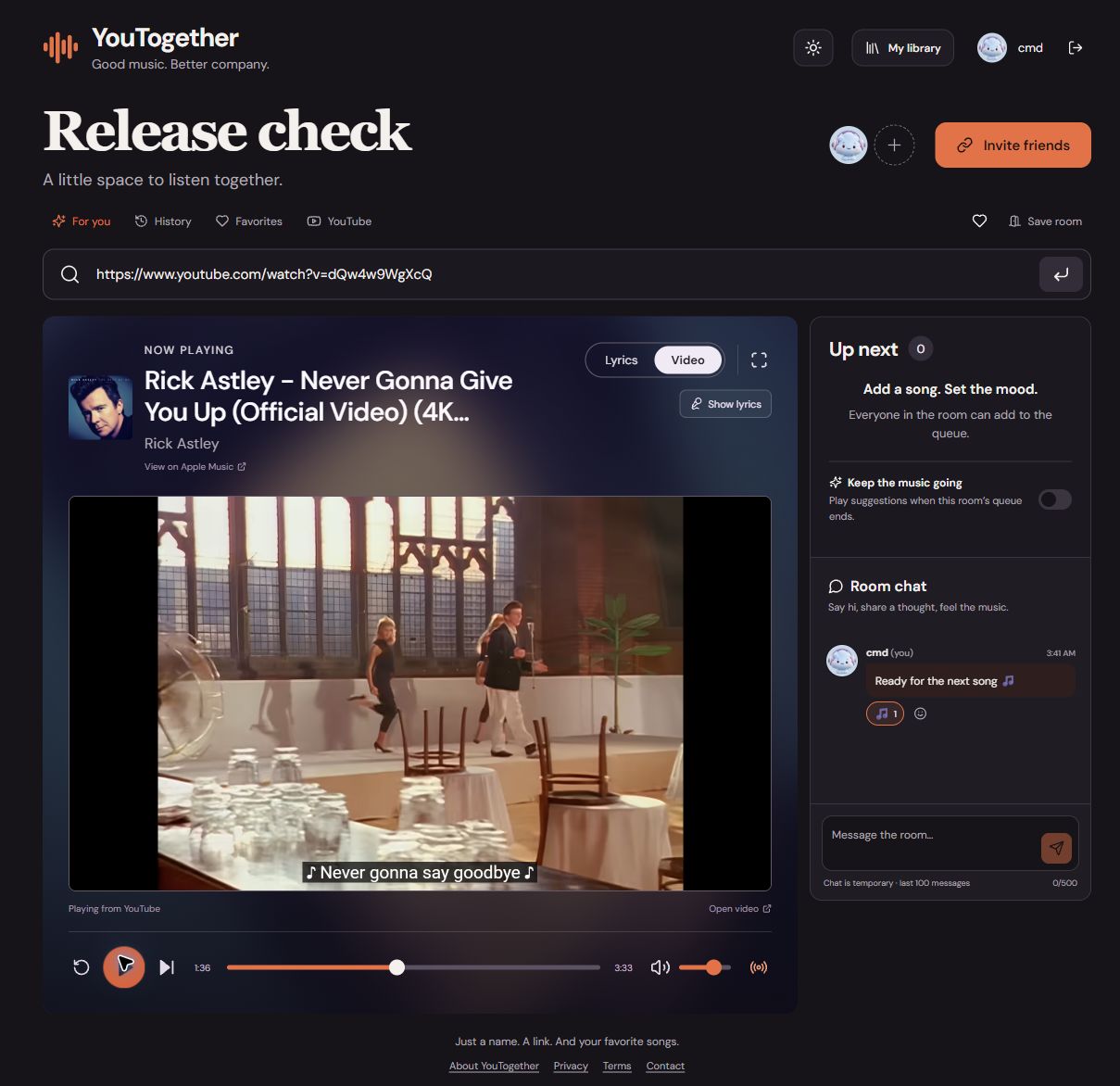
Keeping a room without keeping stale state
The first version made it easy to start listening. The next question was obvious: why create a different room every time?
We added optional Google sign-in, saved rooms, listening history, and favorites. Signed-in listeners can keep a room link and its queue, then return to the same space later. Saved playback state restores paused after a server restart, so reopening a room does not unexpectedly start the speakers.
Guests still get the core experience: joining, searching, adding songs, controlling playback, and chatting. Their personal history is temporary and clears when they refresh or leave the room. Signing in adds continuity to something they can already use.
That choice shaped the backend. A live room is fast, shared state in memory. A saved room also has a durable record in SQLite. We persist the useful parts without restoring stale connections or pretending yesterday’s listeners are still online.
What belongs to the room, and what belongs to you?
This became the most useful question in the project.
Everyone should hear the same song and agree on where it is playing. Everyone does not need the same volume, language, or screen layout.
| Shared with the room | Personal to the listener |
|---|---|
| Current song, queue, play, pause, and seek | Volume, theme, and Lyrics/Video view |
| Selected lyric recording and timing adjustment | Translation language and translated text |
| Chat messages and reactions | Browsing a connected YouTube library |
| The room’s autoplay setting | Locally imported lyric files |
Lyrics made this boundary especially useful. If we find the correct recording and adjust its timing, the room benefits together. If one listener wants an English translation while another reads the original Arabic, both can do that without changing everyone else’s view.
Translation is an explicit action that sends the displayed lyric text through the server to OpenAI. The result stays personal, follows the existing timestamps, and must preserve the line structure. A response that shifts lines around would make the highlighted translation misleading, even if the words sounded reasonable.
Local lyric imports stay on the listener’s device unless they explicitly request translation. When timed lyrics are unavailable, the app can show plain text; it does not invent timestamps to make a song look synchronized.
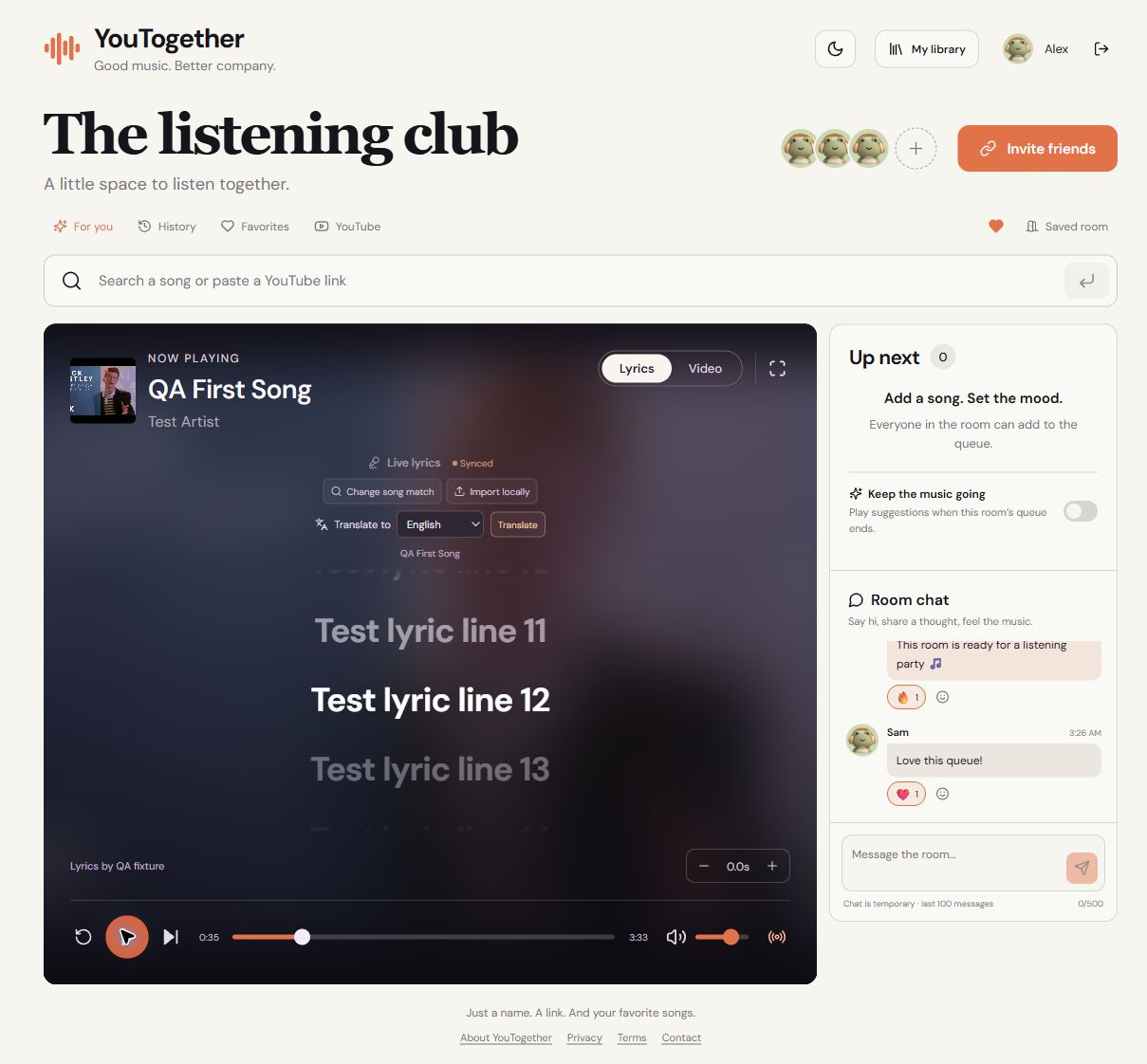
The lyric scroll bug, the tab jump, and queue identity
One bug was easy to describe: finish reading a song near the bottom, load the next song, and its lyrics also start at the bottom.
The obvious fix is to scroll to the active line. But a new song can begin with an instrumental introduction. There is no active line yet, so that approach leaves the old scroll position untouched.
We reset the lyric container before the next paint when the track, selected match, or loaded lyric content changes. In the browser check, we moved from line 50 of one test song to the beginning of another with an introduction. The new lyrics started at the top.
The second bug was more subtle. Switching away from the browser tab and returning could cause a tiny jump in the music. Our synchronization was too eager: a small timing difference could trigger a seek.
We made routine corrections more tolerant while music is playing and discarded outdated seek samples when tab visibility changes. Explicit resync remains available when a listener actually needs it. Keeping people together requires correcting meaningful drift without turning every small discrepancy into an interruption.
We also had to distinguish a video from a turn in the queue. Queue the same YouTube video twice and the video ID stays the same, but the second occurrence is a new playback session. Giving each queue entry its own identity prevents an old end event or lyric result from affecting the new occurrence.
Your liked videos are not all songs
Connecting YouTube introduced a very practical problem: a liked-video collection might contain music, tutorials, interviews, and everything else.
We added a Music / All videos filter, with Music as the default. It uses YouTube’s category metadata. That is a useful filter, but it can miss uploads categorized differently, which is why All videos remains accessible.
The import action also needed more than a loop over the visible rows. It now follows pagination, skips songs already playing or queued, shows progress, supports cancellation, and respects room capacity. A page with no Music matches does not mean the library has ended; there may be matching tracks on the next page.
Large imports have bounded work and a way to continue. There are provider limits too: YouTube’s liked-video endpoint exposes at most the most recent 1,000 rated videos, even when an account has more. YouTube API reference.
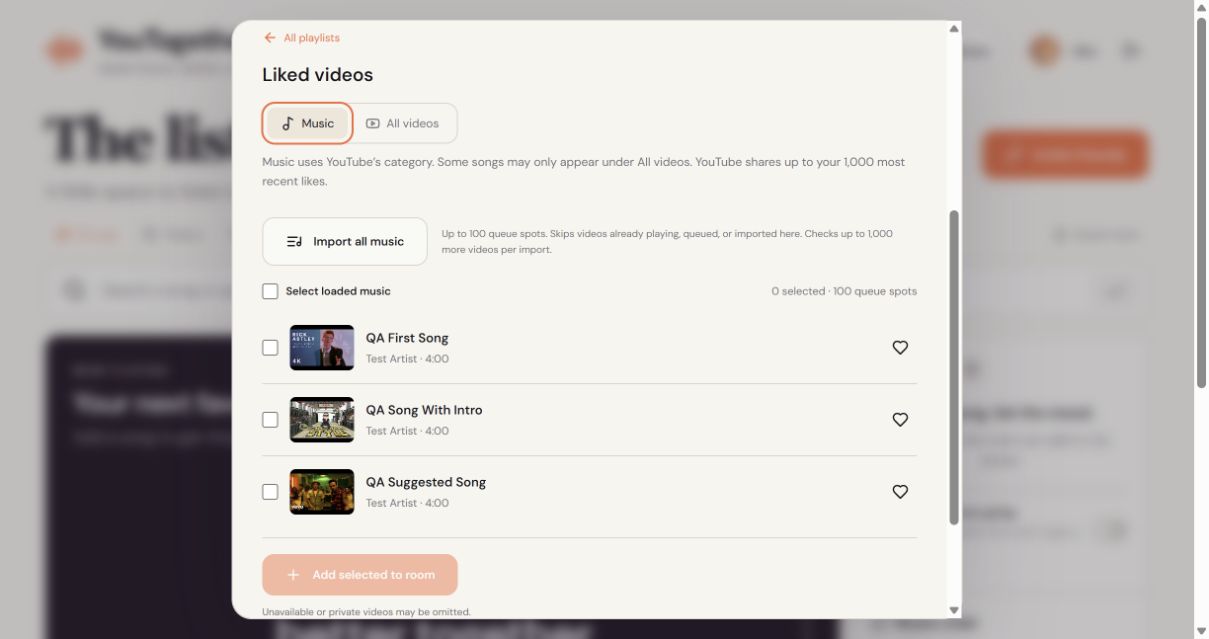
Google sign-in and YouTube access are separate actions. Basic sign-in enables saved rooms and personal music history. Connecting YouTube asks for read-only access and lets the listener choose an account, including a different account from the one used to sign in. Browsing stays private; selected imports enter the shared queue. The app does not rewrite the original likes or playlists.
Autoplay needed a single decision-maker
We built recommendations around signals we can explain: favorite artists, recent and repeated listening, and similarity between track titles. Real YouTube candidates are ranked, songs already playing or queued are excluded, and artist repetition is limited so one artist does not fill the entire result set.
There is no language model in this recommendation pipeline. AI is used for the optional lyric translation feature; music suggestions use a scoring algorithm over real tracks.
The new Keep the music going toggle applies suggestions when the room runs out of queued music. It is off by default. Crucially, shared autoplay uses the room’s recent listening, without consulting everyone’s private favorites or connected libraries. A personal recommendation and a room recommendation have different audiences.
The hardest part was deciding who gets to start the next song. Several listeners can report that a video ended at almost the same time. Meanwhile, someone might add a track manually while a suggestion search is still running.
The server now allows one pending autoplay selection at a time and checks that it still belongs to the current room state before accepting it. Manual additions take priority, including while their metadata is loading. Pausing, disabling autoplay, or the last listener leaving the room invalidates work that should no longer take effect.
If no suitable music is found, playback stays stopped. A quiet result is better than an endless retry loop or an unrelated video.
Making the room feel like a room
We added chat and six quick reactions so people can respond to a song without leaving the page. Then we removed the duplicate “In the room” list from the sidebar: the avatars already show who is there at the top. Chat now occupies that space below the queue.
Playback controls moved inside the lyrics and video stage as well. The page feels more connected, and mobile listeners keep the controls close to the content they are following.
There are smaller interaction details here that matter. Incoming messages do not pull someone away from older messages they are reading. A failed send preserves the draft. Chat is temporary, including in saved rooms, and retains only the latest 100 messages in memory.
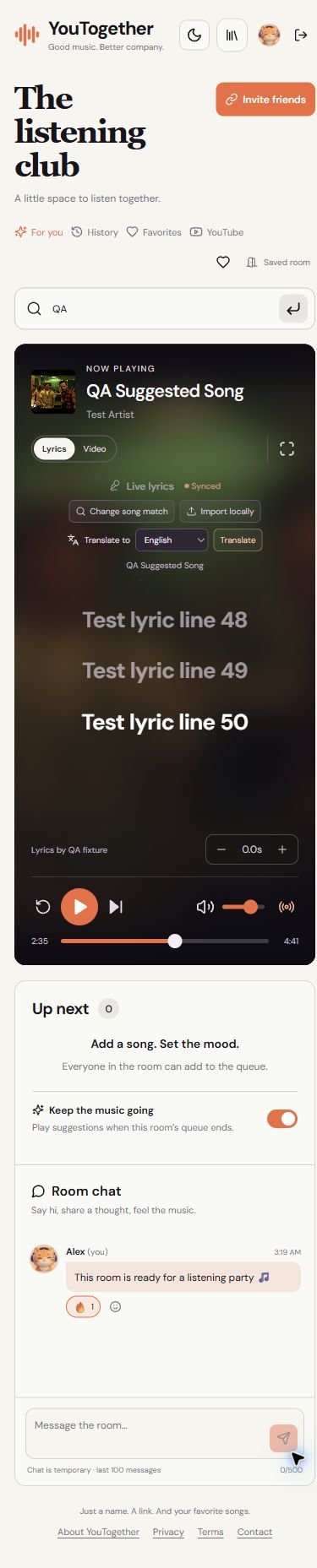
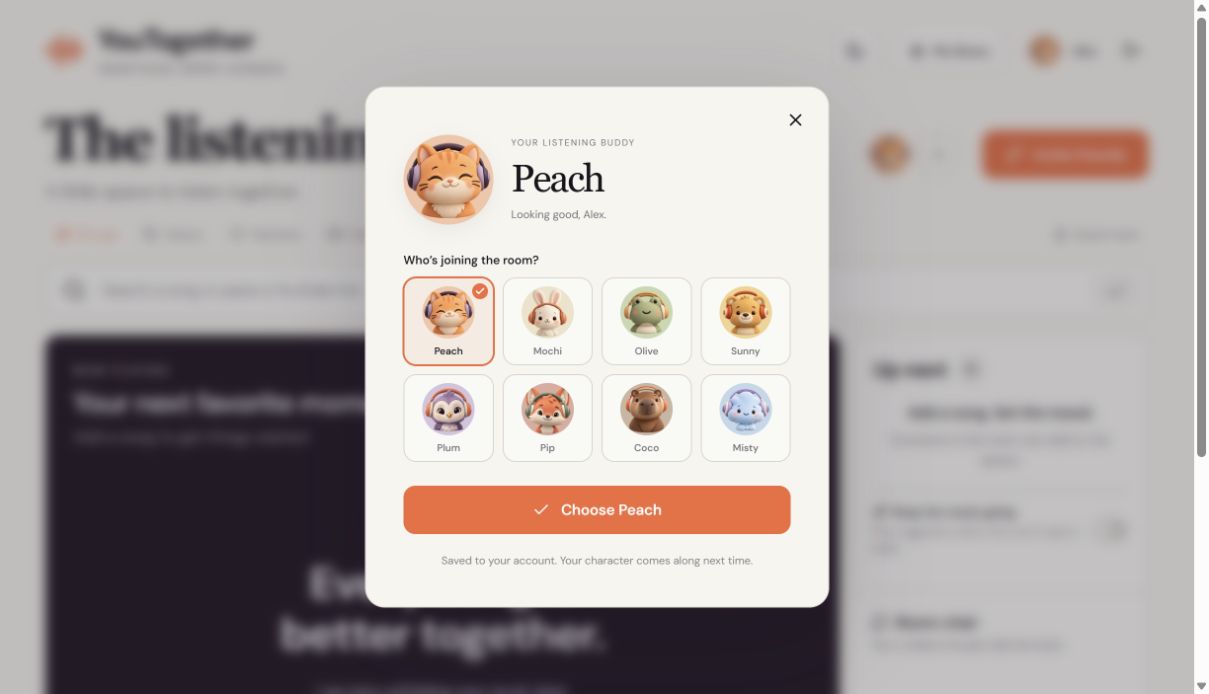
We also gave the app eight default characters: Peach, Mochi, Olive, Sunny, Plum, Pip, Coco, and Misty. They range from a headphone-wearing cat to a little cloud, with a consistent soft clay style and warm palette.
The artwork was generated with image-generation tooling, then prepared as transparent avatar assets. The brief emphasized distinct silhouettes and faces that remain readable at small sizes. People can have an identity in the room without uploading a profile photo.
A working sign-in was not the end of OAuth setup
One of the more frustrating blockers arrived after sign-in was already working: Google rejected the homepage ownership check.
We had verified a URL-prefix property for https://cmd.ag/. The app lives at https://you.cmd.ag/. That existing property did not cover the separate hostname.
We added and verified the app’s own Search Console property, shipped its verification tag in the homepage HTML, and completed branding publication. Branding was verified and published on 15 October 2026.
That milestone has a precise meaning. The sensitive youtube.readonly permission has a separate review. As of 16 October 2026, the sensitive-scope review has not been submitted. A real demonstration video is still needed; the recording guide is prepared. Google documents branding and data-access verification as separate stages. Google’s verification guidance.
During this work, we also replaced scraping-based search with the official YouTube Data API and kept its restricted key on the server. Getting a feature to work and getting its integration ready for review are connected jobs.
Deleting data should mean it stays deleted
Connecting an account made data ownership an engineering problem too.
A song imported from YouTube can appear in a personal list, a shared queue, a recommendation cache, or a saved room. Removing the original record is not enough if one of those copies can bring it back.
We track where metadata came from and when the server fetched it. Copying or favoriting an old track does not reset its age. Cleanup removes stale metadata while preserving saved room names and links. Disconnect and deletion handling also reaches imported copies, caches, and pending work that might otherwise finish after a user’s decision.
Backups needed the same thinking. A deletion watermark marks the point before which a backup must not be restored, and old backups are pruned. Release rollback preserves the current database rather than blindly replacing it with an older copy.
These are quiet features. They matter because a delete button makes a promise about what happens later, too.
How the backend fits together
The stack is React and TypeScript in the browser, with Express and Socket.IO in one persistent Node process. SQLite stores account data and saved rooms. The server coordinates playback state; each listener’s browser plays the media through the official YouTube iframe.
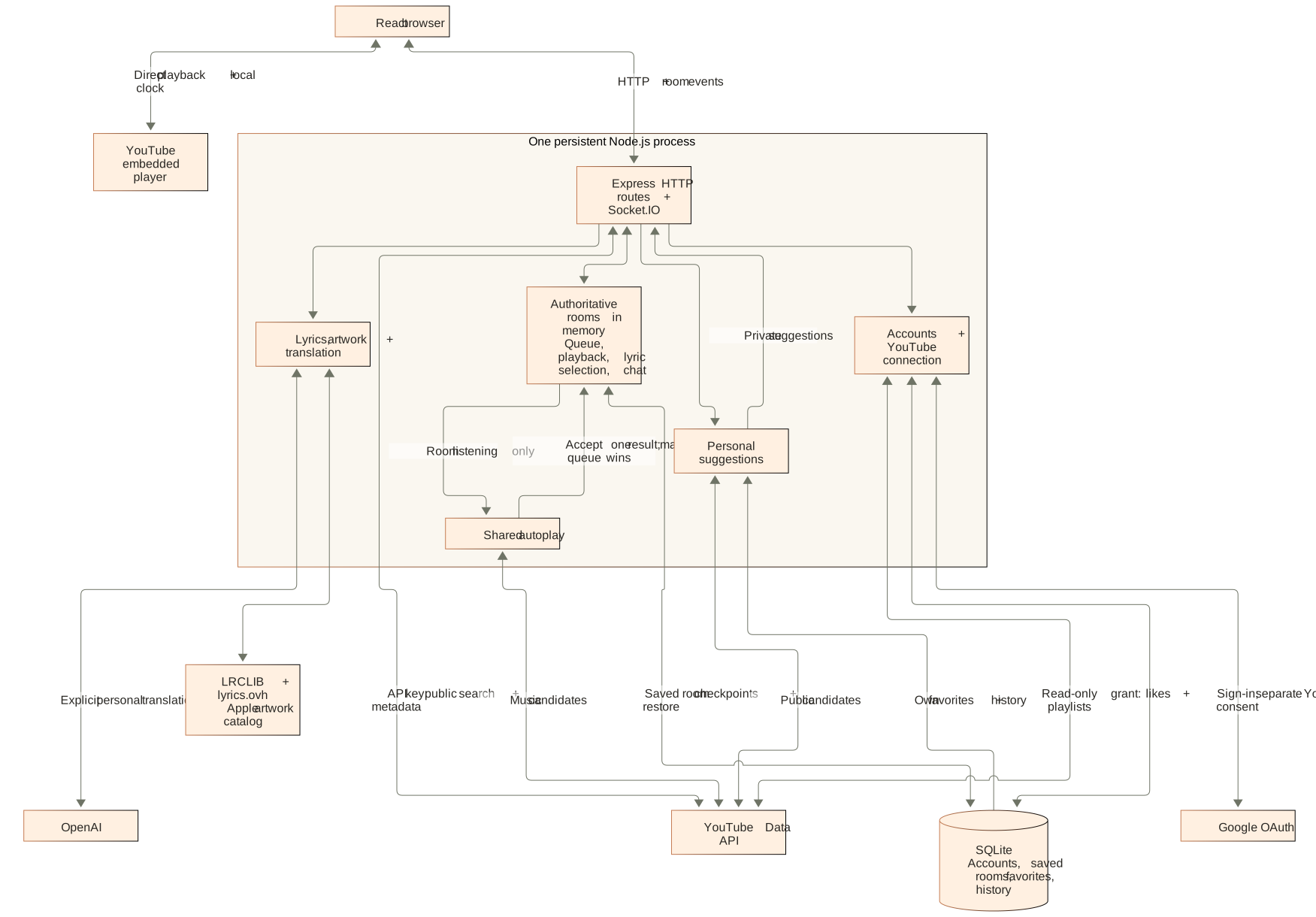
A logical view of the current backend. Media plays directly in the browser. SQLite does not store guest rooms or chat; guest personal suggestions use session history supplied through the HTTP API.
Open the full-size architecture diagram
Room events are validated on the server and broadcast to that room. The server’s playback position and timestamp provide the common reference; the local player clock drives the lyric highlight. Saved rooms are checkpointed, while connected members and chat stay temporary.
Personal recommendations and room autoplay reuse ranking logic with different inputs. The diagram separates those paths because that privacy boundary is part of how the system works.
This architecture currently assumes a single persistent Node process. Supporting multiple room servers would require additional coordination; we have not claimed or tested that scale yet.
What shipped, and what still needs work
The recorded checks for the 15 October room release passed 161 automated tests and the TypeScript/Vite production build. Browser checks covered two listeners, chat and reactions, lyric transitions, light and dark themes, and desktop and mobile layouts. Production checks covered the live app and real video playback. Library pagination and bulk imports were exercised with local test fixtures and mocked OAuth/YouTube responses; we did not repeat the real Google consent flow for that release.
There is still work ahead. Fresh YouTube embeds intermittently failed to report readiness in testing. We added a timeout and Retry path, which helped recovery, but the underlying intermittent issue is not confirmed fixed. Lyrics coverage varies by recording, the Music category is imperfect, and the sensitive YouTube permission review remains unfinished.
The choices we are most proud of are the ones that make the experience feel considered: guests can participate immediately; the room shares music without quietly sharing private libraries; translation stays personal; and a manual song choice wins over background automation.
Next: finish the review demonstration, investigate intermittent player readiness, and keep testing the moments when one listener’s action meets another’s.